The support forum is built with (1) General and FAQ forums for common trading queries received from aspiring and experienced traders, and (2) forums for course video topics. How to Trade Price Action and How to Trade Forex Price Action videos are consolidated into common forums.
Brooks Trading Course social media communities
Brooks Trading Course Learning Resources >>>

Hi, I am unable to watch the new videos because the new software that is used. Yes I cleared everything on my browser, the cache, the history the cookies everything you can imagine, yes I even restarted my computer and I did it for both mozilla and chrome. Why did you switch over anyway, were you bored with the old one, wanted something new and exciting. This is just great, I really wanted to watch the videos and learn and now I can't. All that money I spent on this course for literally nothing. Why do people always feel like they have to change something, I think that whole the only constant is change, really gets in peoples heads and then they change something that doesn't need to be changed. Please fix this. There was nothing wrong with the old video software.

Hi Quochung,
Sorry to hear you are still having trouble. I have reported your trouble to hosting support and it is quite unique. Nobody else seems to have the strange "noise" issue.
Have you got some screen capture software running in background? Have you tried different devices? Firefox? Edge? Are you trying to view through a secondary device (not allowed)?
Surely you can find some way to view videos.
Sorry we are having to run anti-piracy system but so many thieves out there believe everything should be for free these days. No free lunch as they say.

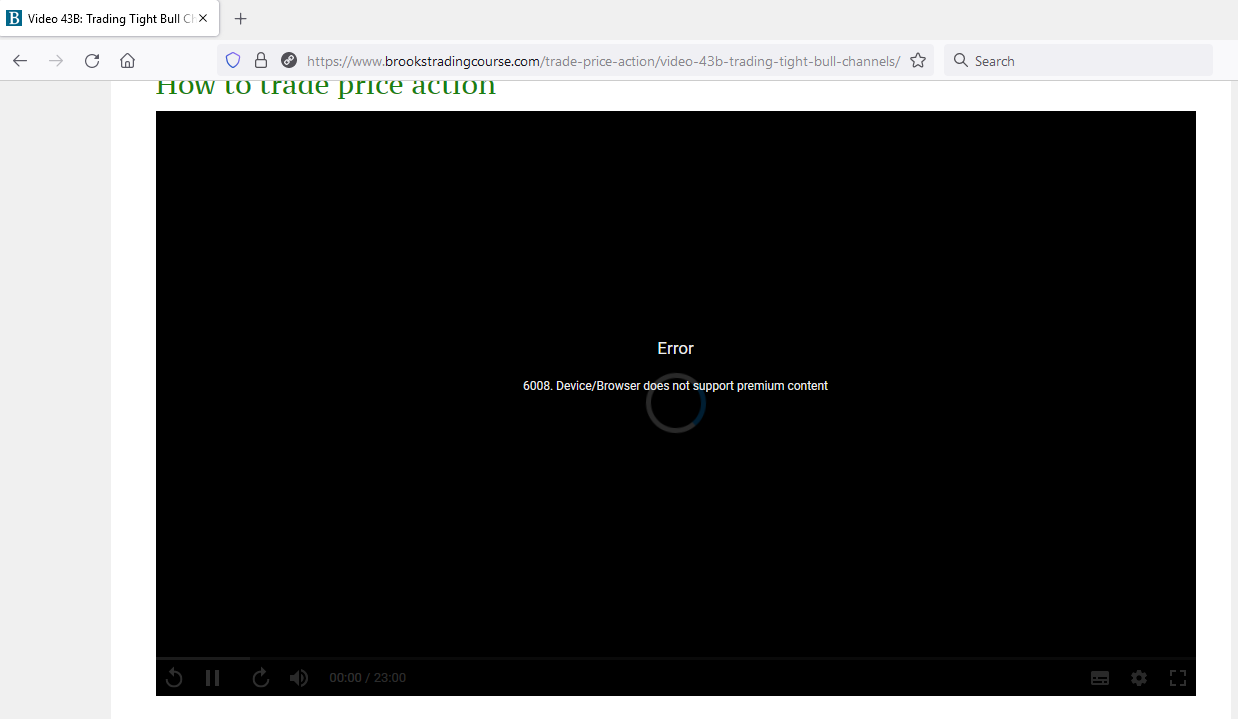
I am trying to watch some of videos on Firefox and am receiving the following error.
Please, see attached screenshot.
Does this error mean that the videos are not supported on Firefox?
The version of Firefox I am using is 94.0 (32-bit).
Hi David,
Sorry to hear your troubles. Firefox should work fine.
You say "some of the videos", or do you mean all videos? If specific videos let me know which - see the following troubleshooting page for some things to explore.
If you cannot get it to work please let me know your device info as per article for follow up.
https://www.vdocipher.com/blog/desktop-browser-issue/
I am on Win10 64-bit PC so not sure if your Firefox is up to date, I guess so, right?
Let me know if above helps or not. Try Edge too to see if that works, which would identify Firefox 94.0 (32-bit) as problem.

Talking of piracy, came across this channel on youtube, seems like it has a lot of videos from Al's Course - [Link taken down - thanks! BTC Admin]
Many thanks Shubh. I have passed this onto our pirate chasing guys to take down.
I will delete that link from message to stop others from going there. A never-ending battle. 😮

Hi Richard,
Brooks teachings are awesome as usual, he is the perfect teacher, but now I am really very
disappointed by this software as many problems are coming in this software like-
- When take screen shot then playback speed reduce automatically (due to Win button)
- When I try to pause the video then also it does not pause with the enter/mouse and I have to click on the on screen pause button
- The video quality is very low (even though my wifi speed is good), and due to this bad video quality I am not able to study the course for long time
This was really not expected from your side! please help solving these issues, please.
And more over just by changing to Anti piracy software, I dont think you would be able to stop that senseless guys as they can also do piracy (record videos) on firefox right?
This is only harming the paid subscribers like us!!
Again saying- please help
Hi Rishi,
Sorry to hear of your disappointment. Of the issues you raise, the hosting support guys have been informed of the Windows speed issue, some time ago, and I hope they fix it soonest.
I cannot replicate your problem with pausing and restarting video with mouse, for Chrome and Firefox, so not sure how to help.
For video resolution I am not too happy with the Settings available, as they are not the same for each video. But even on the lowest resolution I have no problem with screen resolution, and I am using a 38" superwide screen. What exactly do you mean by poor quality?
The videos are simple Powerpoints so do not require high resolution to read all details easily. Not a movie, right? Let me know more. Are you 100% sure your Internet speed is good? Have you tested?
I will be adding user email overlay to videos soon, so pirates screen capturing videos will be identified and therefore discouraged. As said earlier, I know blocking pirates is a hassle for paid-up members but the Internet is moving slowly in the right direction to prevent theft. All browsers will eventually block screen captures putting us back to using cameras to capture slides!

Hello , I have purchased the brooks trading course and watched it , Im rewatching it and i wanted to take notes on the power point slides , How can I have access to the slides ?
I heard Brad talking about how he took down notes on the power point slides and that seems very helpful.

I would also like to be able to take screenshots or have access to power point slides. I could then put them on Anki and study them more effectively after watching the videos.
I can understand that you want to fight against piracy, but given that we paid for the course I feel like they should be available for members. Hopefully there can be a solution for it.

I know it's an old thread but just adding some info. Firefox has been recommended as working fine with the video player, and indeed it does work as far as playing video is concerned, according to my testing on both Windows and macOS. However, in neither system the Take Notes button below the video worked properly with Firefox; the note box opens, but no text is shown, even if the video has saved notes, and clicking the text area does not produce a cursor to allow text input. Both Edge, Safari and Chrome allow note editing correctly on both systems as per my testing.


