The support forum is built with (1) General and FAQ forums for common trading queries received from aspiring and experienced traders, and (2) forums for course video topics. How to Trade Price Action and How to Trade Forex Price Action videos are consolidated into common forums.
Brooks Trading Course social media communities
Brooks Trading Course Learning Resources >>>

I use tradingview as my charting platform, I'm not exactly sure if I have the right settings for measured moves. I'm currently using the fib retracement tool tool to mark it out and have attached my tradingview settings. When I draw the measured move, I started where the yellow line is and dragged it to where the bottom blue line is and then the top line is where the take profit would have been. Am I doing this right?


I use the Fib tool too. I usually start on the left candle and go up or down from there. If you include negative values in your settings, you will have lines below the zero value as well.
Save your settings as a Template for future use, play around with the settings, add and delete Templates as your requirements change.
If your second point/line snaps to the wrong candle, temporarily turn off the Magnet by holding down the Shift or Ctrl key while you position the line. I think Ctrl is the official key, but I always use Shift.
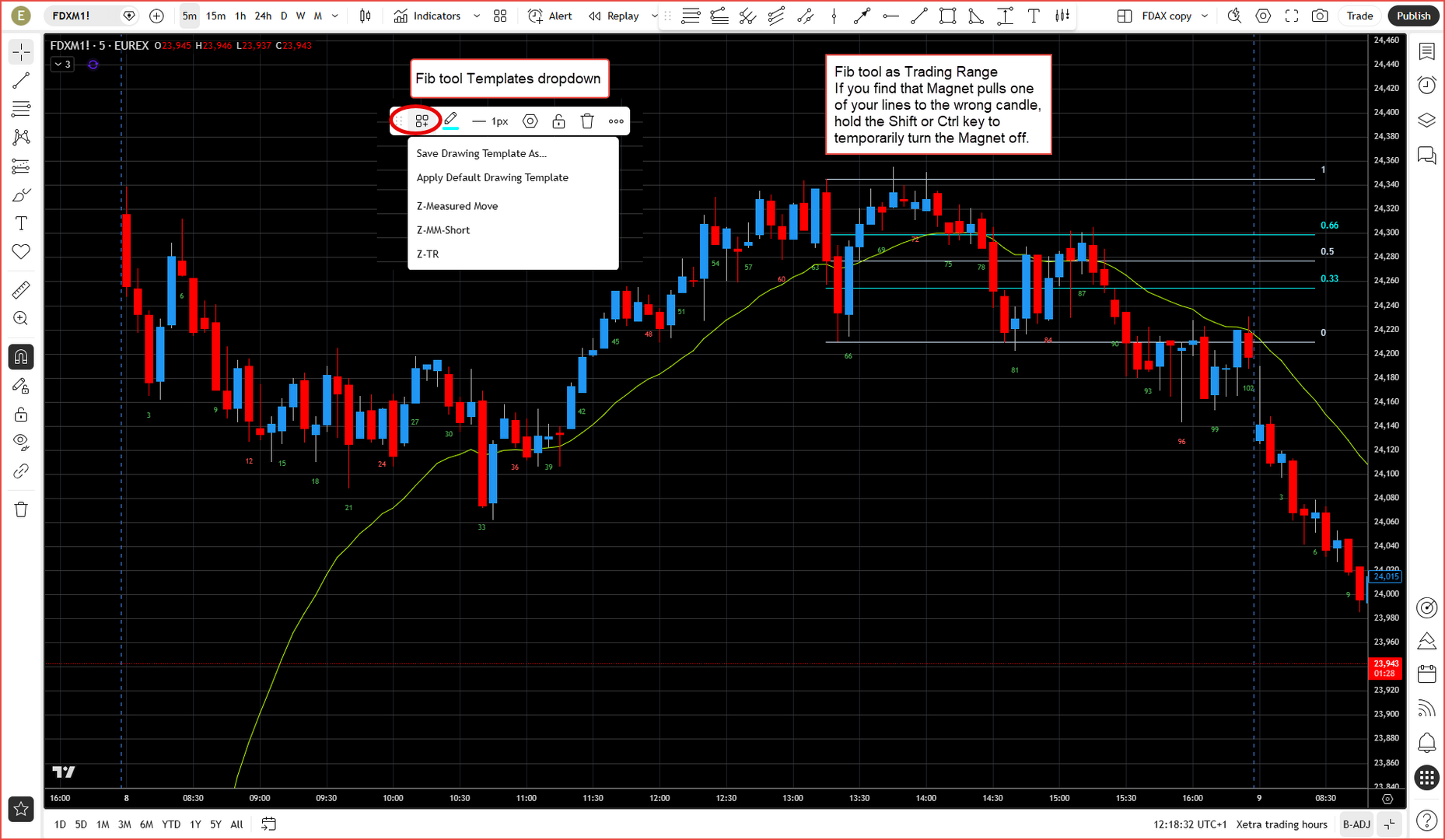
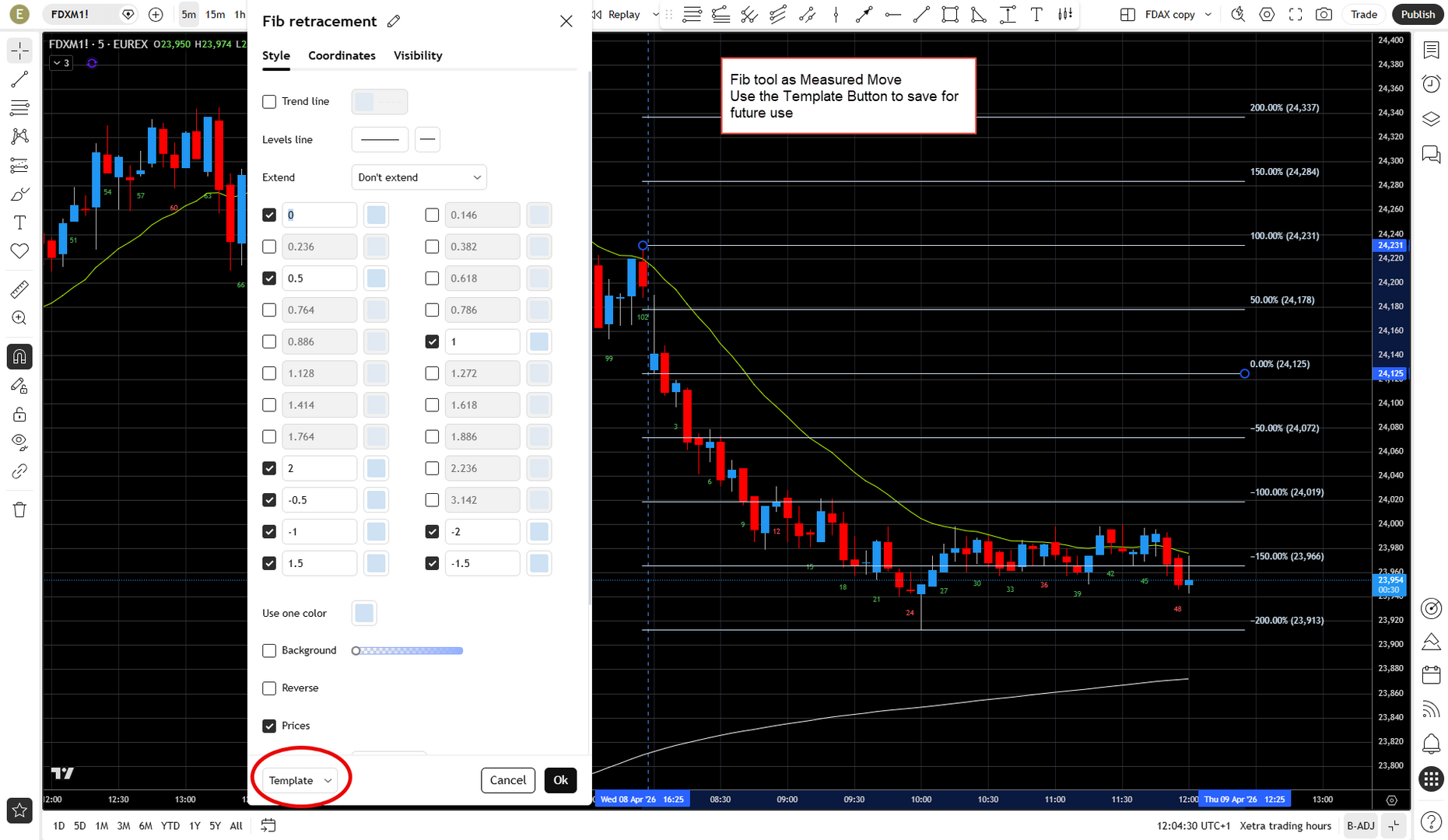

Here's my fib settings for measured moves.
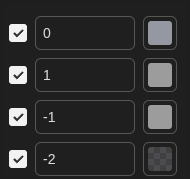
This gives me four lines. So if I want to created a measured move based on the height of a trading range, I will drag from the bottom to the top (or vice versa) of the trading range, and it will create a line one measured move away and another line two measured moves away. Get rid of the -2 if you don't want the two measured moves line.


