The support forum is built with (1) General and FAQ forums for common trading queries received from aspiring and experienced traders, and (2) forums for course video topics. How to Trade Price Action and How to Trade Forex Price Action videos are consolidated into common forums.
Brooks Trading Course social media communities
Brooks Trading Course Learning Resources >>>

Hi, I am unable to watch the new videos because the new software that is used. Yes I cleared everything on my browser, the cache, the history the cookies everything you can imagine, yes I even restarted my computer and I did it for both mozilla and chrome. Why did you switch over anyway, were you bored with the old one, wanted something new and exciting. This is just great, I really wanted to watch the videos and learn and now I can't. All that money I spent on this course for literally nothing. Why do people always feel like they have to change something, I think that whole the only constant is change, really gets in peoples heads and then they change something that doesn't need to be changed. Please fix this. There was nothing wrong with the old video software.
I don't get it. You sent us the sample videos for new software, we told you they worked. Then you post this message saying somebody email you for any problems with videos so you can troubleshoot, and the old software that hasn't been working is still being used. Obviously we still have issues, did I miss a conversation? Move to another platform already and you wouldn't have to bother with all this let's meet after market. What's the point, just move on to another software, we just told you those sample videos for the new proposed software is working, what's the problem?

Hi Victor,
Moving to new host is not a 5-minute job. I spent many days moving files to current host.
The proposed new host is being tested (albeit limited to only 4 videos which is not so good) and I am talking with new support on several key questions before committing to new system.
But what if current host problem is simply due to a bad software plugin on website? I did ask several days ago for help, and repeated yesterday, so I can deactivate website software while online with someone having the video trouble. So, if I found that a plugin was actually the problem, no need to move, right? I hope to get this done later today with the kind help of a member. Just 15 minutes, and if it really did find trouble, then great. If not, yes, get moving asap - the whole weekend and more will then be needed. 😫
Are you still having trouble? The really odd thing is that most members reporting trouble find the system starts working Ok after a little time. Most frustrating.
(Victor/others - let me know what videos you are now trying to watch so I can enable these first.)
**If David reads this - Have tried to contact you but no response. Maybe your yahoo.com is blocking messages (a common problem)?
>>Are you still having trouble? The really odd thing is that most members reporting trouble find the system starts working Ok after a little time. Most frustrating.<<
Hi Victor, and anyone else having trouble.
Well, can anyone here please confirm you are still having trouble, and specifically what trouble, before I start a major (and costly) hosting move. Been another 24 hours without any follow up from above, or complaints, and anyone who has responded from earlier says all well now.
>>Obviously we still have issues<<
Do we?
Hope you can appreciate my dilemma here. I will send out an email to all mailing list members later today asking for Yes/No feedback, and if yes, what IP address you are running from.

The subtitles still do not display when I watch the videos. I tried multiple videos on different two laptops and a desktop. The test videos you posted earlier (links now removed) worked perfectly. The subtitles were visible.
The subtitles used to work perfectly on the old system, but have never worked since the videos were moved to the new hosting service.

The subtitles still do not display when I watch the videos. I tried multiple videos on different two laptops and a desktop. The test videos you posted earlier (links now removed) worked perfectly. The subtitles were visible.
The subtitles used to work perfectly on the old system, but have never worked since the videos were moved to the new hosting service.
Did all these different computers involve different browsers or the same browser? That's what matters most. What browser(s) are you using?
It's the same browser and laptops/pc I've always used. Nothing has changed on my end. New hosting service and now the subtitles don't work. It's that simple.
Migration to new videos hosting system underway. All course videos uploaded to new host, and now have to add subtitles before updating all videos with new code. Home page and latest Live Trades videos updated as these gave trouble for several members.
Should complete all public-facing (eg free samples) and course videos within 24-48 hours (Video #01 onwards). Ask Al and other videos will take longer.
You can identify new video player by (1) subtitles font sizes scale up when using full screen, and (2) player bar goes away when pausing video.
(2) player bar goes away when pausing video.
YES! Already a win in my book. I wasn't going to say anything because you had enough problems but this current player was annoying as hell. I use snipping tool to take screens of slides to place in Evernote and most of the time the damn player would pop up (paused or not) when I did so. Thanks for making this happen. <3

Great! Will the new player also have the option for 1920x1080 HD?

Hi-
For the past few months I have been projecting the course videos from my IPad to my TV using Apple Air Play. This provides great screen size and sound as I walk on the treadmill. The new software works great on the IPad screen, but the slides do not project via Air Play. Interestingly, the initial cover slide transmits as does the sound, but when the slides begin, the TV screen turns black.
Best, Russell
Richard,
I would put a pause on the conversion. The new video player is causing issues for me. I would pause and see if others report problems before moving all the course videos to the new hosting. Just my two cents...

Richard,
I would put a pause on the conversion. The new video player is causing issues for me. I would pause and see if others report problems before moving all the course videos to the new hosting. Just my two cents...
I would rather know now what issues you have as cannot keep moving from host to host. And from experience, many members just do not report troubles, or the opposite, so time goes by little apparent progress.
The only issues for new system I see could be the limited browser support, although Chrome, Firefox, Edge and Safari are covered. Reason for limits is due to use of Hollywood-grade DRM protection to reduce ongoing theft of course.
See this document: DRM Compatibility Explanation
Talking of limited browser support, we did consider going to a 100% secure system but it would need everyone to use the same specialist dedicated browser (no Chrome/whatever). There would also be no screen capture. Al decided this was too much. The new system does allow us to overlay the users email address on screen to discourage screen capture, but not 100%.
Or is your trouble something other than browser choice?
Ref query on option for 1920x1080, all videos are already at that resolution but website page size is limited to 1040 width. Going full screen gives a very high resolution that is quite clear given the non-complex content. Am I missing something? (Quite possible in my current exhausted state!)
Ref new hosting: All Bonus Videos and course videos 01-02D done so far. Was planning on getting 01-07B or more done before end of today.

Just checked course video 02A and it plays well. Used Firefox(private window) as this is my other laptop and did not face any trouble. Would check if any issues persist on my main laptop where I use Edge(incognito mode) and would let you know, if any issues in the next 5-6 hours(sorry for the delay).
Although, I never really faced any issue with any of the hosts at any point of time but I am not sure what this DRM protection is. Being not so young anymore to be technologically adaptable, I am a bit nervous about what implications it may carry. Although, I never took any screenshots for my notes, I would like to have the option. Would you be so kind to explain these to me, Richard?
Thanks again and sorry for your troubles.
Just checked course video 02A and it plays well. Used Firefox(private window) as this is my other laptop and did not face any trouble. Would check if any issues persist on my main laptop where I use Edge(incognito mode) and would let you know, if any issues in the next 5-6 hours(sorry for the delay).
Although, I never really faced any issue with any of the hosts at any point of time but I am not sure what this DRM protection is. Being not so young anymore to be technologically adaptable, I am a bit nervous about what implications it may carry. Although, I never took any screenshots for my notes, I would like to have the option. Would you be so kind to explain these to me, Richard?
Thanks again and sorry for your troubles.
Hi Abir,
I am no 'Spring chicken' either! DRM is just Digital Rights Management as noted above, the same approach that movie companies like Netflix use. Stops a whole range of hacking softwares from downloading (ie stealing) course videos. Downside is need for up-to-date browsers but that should not be a problem as we need same for security, and modern browsers do keep us up to date. You cannot see videos if still on Internet Explorer or Netscape for example! 😆
So no real implications to worry about. Screenshots are still available using programs like Snagit but we will add video overlays of email addresses a little later to discourage those less sophisticated pirates from stealing the course - and plenty of those on Planet Earth sadly.
Al has to pay a pirate chasing agency every month to take down lots of pirate links, and never ending. Hopefully this video hosting will reduce the problem and cost.
>>The only issues for new system I see could be the limited browser support, although Chrome, Firefox, Edge and Safari are covered. Reason for limits is due to use of Hollywood-grade DRM protection to reduce ongoing theft of course.
See this document: DRM Compatibility Explanation <<
FYI. Just want to repeat above notice as new DRM (Digital Rights Management) system needs latest browser versions of Chrome, Firefox, or Edge - for both Windows and Apple devices. Safari will be supported later when we add the Apple DRM (Apple has to be non-standard and different of course).
See the site Online video player support information page for more details on desktops and mobile devices.
Now have course videos #01-07B on new system (plus Bonus Videos). Remainder of Price Action Fundamentals to follow tomorrow.
Hi, the new software being used seems to be working for me. Videos play fine. Thank you.
I promised I will provide a feedback regarding how the videos play on my main laptop which uses Edge browser. Feedback is the videos work fine. No problem. However, they did not play on my Android smartphone device which uses Chrome. The message I got was that I needed to update the browser but it probably is the latest version. If someone else could provide any inputs regarding the issue, that would be helpful.
Thanks for your update, Richard. That is helpful. I guess, the genuine members have nothing to worry about even with the shift to the new system.
less sophisticated pirates from stealing the course - and plenty of those on Planet Earth sadly
Sadly. Not sure how it got so bad.
Al has to pay a pirate chasing agency every month to take down lots of pirate links, and never ending. Hopefully this video hosting will reduce the problem and cost.
Hopefully, the reduced cost will help offset the shifting and hosting charges a little bit.
All "Price Action Fundamentals" videos (#01-#36B) for Brooks Trading Course and Brooks Forex Trading Course migrated to new system.

Hi, i am trying to type everything from the video, and i need to constantly pause the video. But with this new video management system, after a few pauses, the video speed will go from 2.0 to 1.0000000000000006 then to 0.60000000000. Would you mind if you could see if this problem could be resolved? It is really difficult for me to study it right now. Thanks!
Hi, i am trying to type everything from the video, and i need to constantly pause the video. But with this new video management system, after a few pauses, the video speed will go from 2.0 to 1.0000000000000006 then to 0.60000000000. Would you mind if you could see if this problem could be resolved? It is really difficult for me to study it right now. Thanks!
Hi Herman, can you tell me exactly which videos this is happening on. The new system videos (v2) are on #01-36B so far only. 37B onwards tomorrow...
PS. Why don't you simply screen capture the slide of interest and work from that?
Happening to me to yesterday and today. Multiple videos. Either error message or just a spinning circle. I miss the old system...I don't need no stinking subtitles 😉
Enjoy your day, Richard 🙂
Should clarify
Videos not loading or playing...course videos and even the video on the homepage. Happens intermittantly on multiple devices. Same pc/laptops & browser I've always used in the past. On one of my laptops, any video on the new hosting causes my video driver to crash. That will teach those pirates...can't steal what you can't watch 🙂
Clarification should give course video numbers too, but assume you are talking about those in 01-36B if Home Page video also trouble.
Home page and other recent blog posted videos should be perfectly fine now. ; )
Still no reply from most recent member having trouble. So difficult when feedback limited. Everything perfect for me and possibly 90% visitors/members out there. But yes, we do need 100%. Working on it (well, sleeping on it now!). Catch up with you later.

Hello Richard,
I have been reading posts and feel horrible for you. You are clearly doing your best and the SMALL minority are understandably frustrated but unduly impatient and loud.
Sir Richard I just FOUND a way to watch videos! Took a few browsers but I found one for now. Firefox for android works for me.
I'm ALWAYS able to make them work somehow just takes a few minutes of work. I will switch back once everything is smooth again.
I just did a test for you again.
New Live Video WORKS on Android Chrome.
Video course videos DO NOT work In Chrome. I have cleared cache excreta.
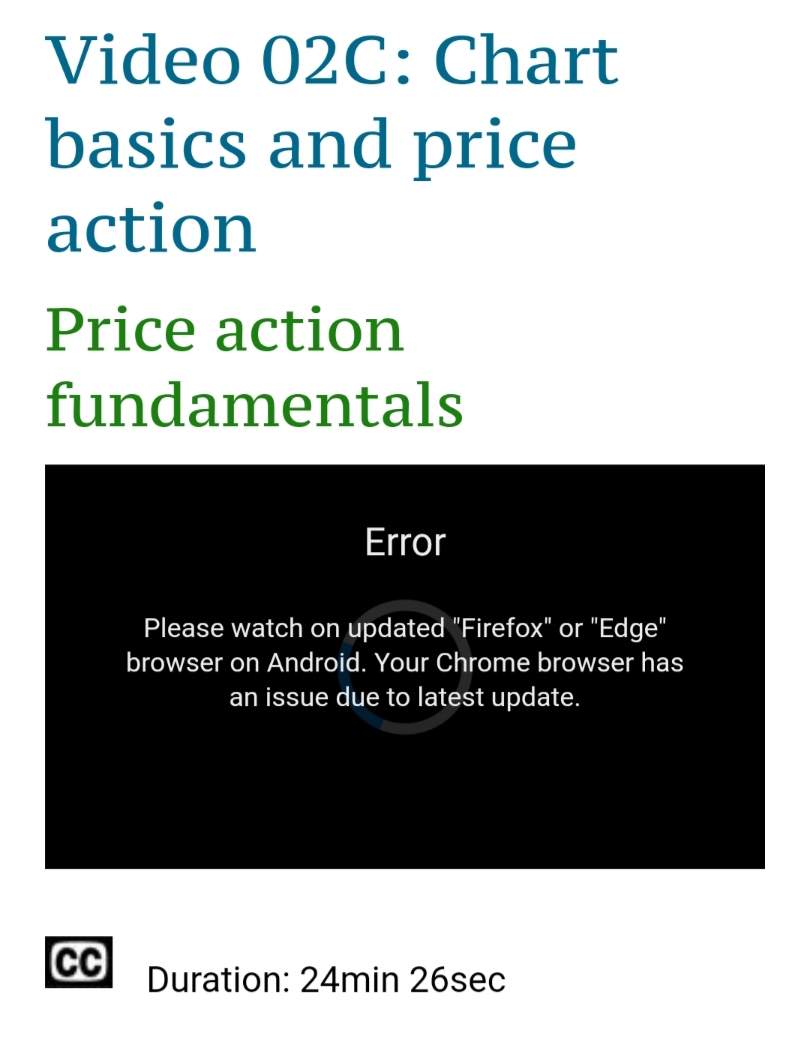
I can watch videos in Firefox but wanted to let you know in case anyone else is having issues as well.
Thank you for the life changing material over the last 6-7 years. I cannot believe HOW much value you and Al provide for next to NOTHING!!!
THANK YOU THANK YOU THANK YOU!!!
I don't think you hear that enough for all you do!
Good luck to anyone trying to find better value in the tradesphere!
Seriously... Thank you!
P.S. If I can help in ANYWAY please let me know.
Hello Richard,
I have been reading posts and feel horrible for you. You are clearly doing your best and the SMALL minority are understandably frustrated but unduly impatient and loud.....
Thanks for your kind words and feedback. That screenshot is exactly what helps a lot. The new system is actually telling us what the problem is, which is quite a powerful feature actually. Chrome is often a pain for desktops too, and Firefox certainly a good solid alternative with no privacy issues.
I will get all course videos moved to new system within next 24 hours or so, as the earlier hosting is what is still causing trouble with those blank screens and rotating icon issues. Really disappointed with them.
Our original system is now delivering all public-facing (non-course) videos, so no troubles there. I will chase them (yet again) for when they are going to implement the DRM protection we have moved to. They have lost a lot of bandwidth/$$.
Safari iOS browser still an issue for some as Apple DRM application takes time. I am not an Apple fanboy but may have to buy an old iPad just to signup as Apple Developer so I can get the license needed. Will take 2-3 weeks and Safari desktop users have to use Firefox/Edge until then.
Thanks again.
I'm with you on that one about Apple. Never owned an apple product in my life.
But for anyone having trouble. I've NEVER not been able to find a browser that finally NOT worked. I've had to use Brave, Opera, Chrome, Edge, UC, Puffin, and numerous others. Frustrating. Yes. Impossible. No.
I've never experienced long term outages after 6 years in his course.
It's the best investment I've ever made in my trading career hands down, period! I have had many frustrating years and am turning the corner to profitably for the the first time EVER and it is AFTER COMING BACK to Al's teaching and actually taking them to heart.
Like he said at one point... it doesn't seem real... but it is!
I thank you Richard as well as you've been there since day one.
Stupid video hosting services! TTSP (this too shall pass) (after you've done all your work of course ;o) )


